I managed to put together an initial version of my tile map collision resolver, and the result is that it works surprisingly well. It can be seen in action above, and shows remarkable stability. Since it is late here now, I will pass on detailing the algorithm since I need to get a little rest.
The somewhat less then intuitive code for the resolver can be browsed here:
My decision to follow a tile based map representation has led me to explore several things I like in games, and to see how they can be implemented in a tile based world, efficiently and robustly.
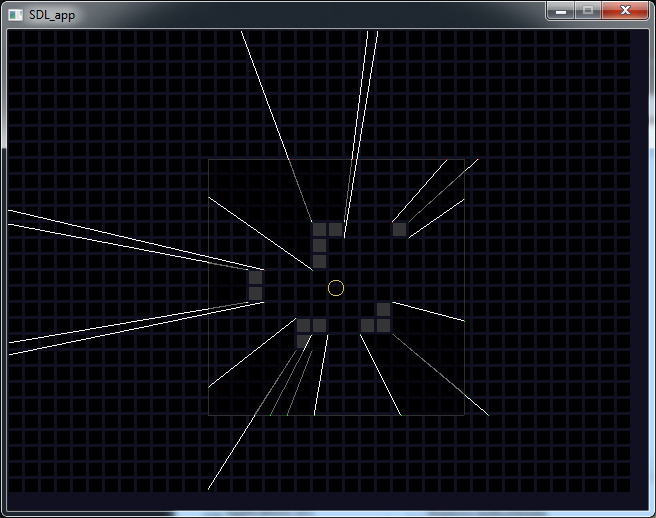
One of the things I have been experimenting with, and love seeing implemented, is a method for computing fast real time 2D shadows. Since I want to take Ninja Flare in a direction towards a ninja stealth game, shadows will be a very welcome addition to the game play. The image above shows the state of my progress in this area. The large outlined grey rectangle represents a conceptual viewing area and thus the limit of the distance of the shadows. In reality some shadow edges project beyond this area because I have not yet implemented any clipping. The yellow circle in the middle of this area represents the light source. The darkening of the shadowed regions was added afterwards in Photoshop only to help give me an idea of the accuracy of my results. In order to complete this method I will need to implement a fast triangle or quad filler to shade all the shadowed regions. This could be done in software if I stick with SDL, or a perhaps easier strategy is to use Direct3D to do the filling for me. One of the nice benefits of the method I came up with for computing these shadows is that it requires no pre-processing so it will react to any changes in the map structure.
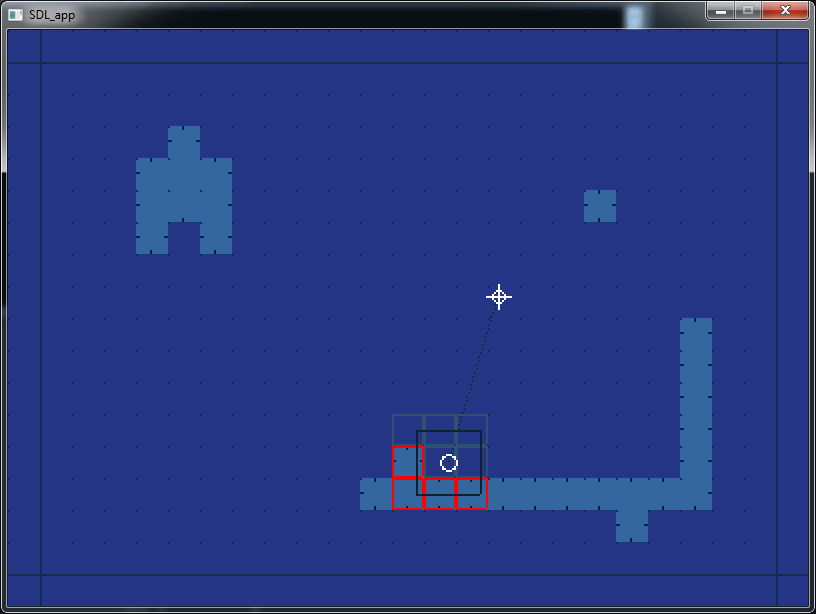
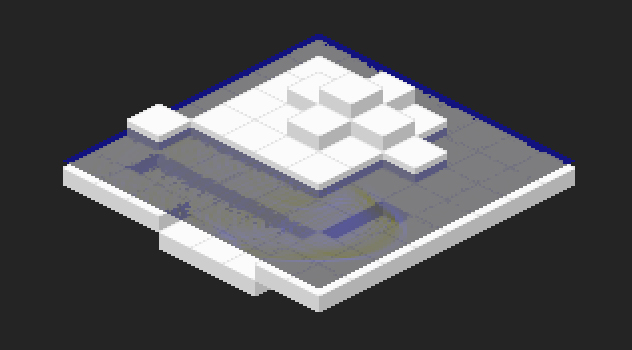
In the continued development of my Ludum Dare game, Ninja Flare, and also future projects I realize that I will most likely follow some form of tile based map representation, just like so many other platform games do. I have therefore been spending one hell of a lot of time trying to find the most robust solution that I can to handle and resolve collisions in a tile map. In many conventional implementations, an object that can collide is limited to be the same size as a single tile in the map, however I want my colliding objects to be of arbitrary size. The problem as I see it is actually not trivial to solve and I have burned through many many pages in my sketch book devising ideas for how to tackle such a problem. I want the most robust solution I can find, although I don’t feel i need to go as far as using swept collision methods, since that would on the face of it add another level of complexity entirely. So far I have created a small framework to let me implement various solvers, and test their robustness. The above picture is a screen shot from this framework, and shows a few things of interest. The very light blue solid rectangles represent walls, or blocking tiles in the map. The dark outlined rectangle in the lower middle is the object that is being tested for a collision and the lighter blue outlined rectangles surrounding it highlight the tiles that were examined when trying to determine an intersection. The outlined red squares that surround some of the tiles highlight any of these that intersect with the object being tested. It is these intersecting tiles that I am interested in when determining how to resolve an overlap.
Part of the current solution that I am exploring involves a pre-processing step to the tile data. This is acceptable for me since anything that avoids computation at run-time, is a bonus, and the pre-processing is extremely fast and simple. Sub regions of the map could be reprocessed at run time if the map data changes, so it will not be a hindrance in that respect. The computation that is performed performed in this stage examines each tile and decides what direction that tile could push an obstacle back out of a collision. It is rational that a tile cant push an object into another tile, since that is not a valid resolution. These vectors are represented in the above picture by dark blue lines near the perimeter of each tile. These vectors are stored in the map data as an encoding of bits, one for each of the four directions possible.
This is the current stage I have reached, and I am now working on the final solver using all of the data I have so far extracted about the collision, and the simplification of data in the pre-processing step. When I have reached something robust enough I will post the solution I have found, and provide a full tutorial of my findings. I am interested however how other engines have solved this problem so I may also examine other engines.
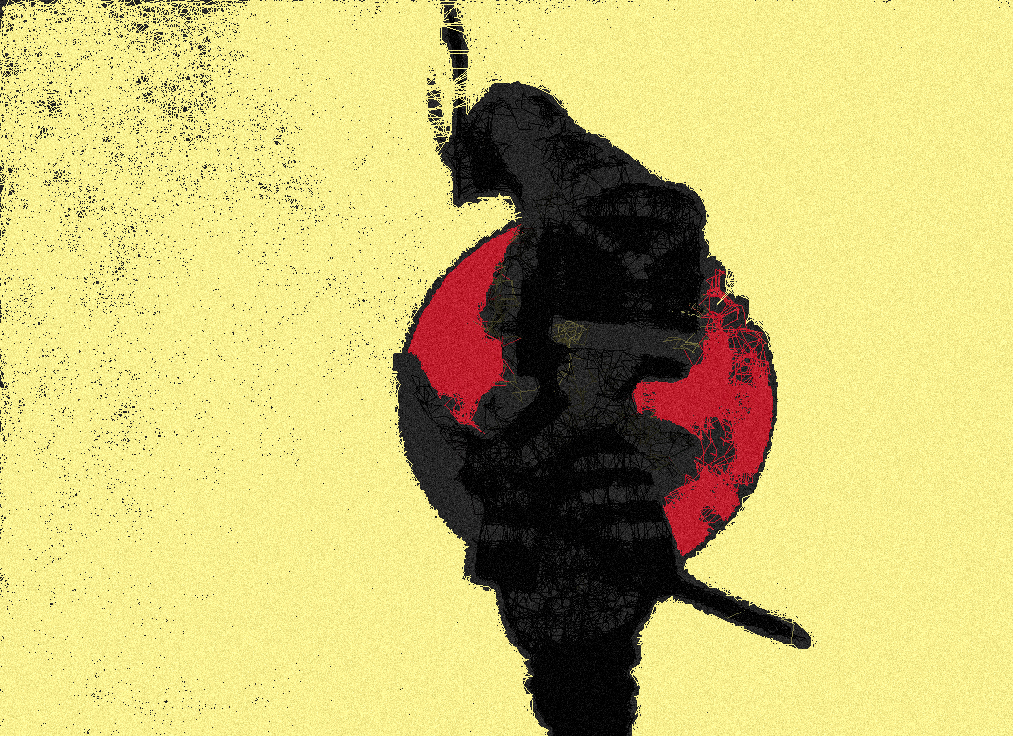
I spent an hour or so this morning programming a little algorithm to generate a new image from a reference through only drawing lines. The algorithm I devised is really very simple and occupies only a few lines of code. First lets see it in action:
The basic idea is to have a conceptual pen on the screen. The location of this pen is randomized every 5 seconds as well as at the start of the application. As each frame or ‘tick’ is processed we make around 64 movements of this virtual pen so that the image emerges quite fast. At the start of each move of the pen, we sample the colour of our reference image relative to where the pen is on the screen, and we take that as the drawing colour. The distance that the pen travels each iteration is chosen at random but the direction is less then random. The colour of 16 random points around the pen are sampled, each point being potential destinations for the pen, so they are all the same distance away from the pens current location. We can finally proceed to move the pen to one of the locations with the most similar colour of pixel, leaving a line as we go. It is probably related to a random walk algorithm, with a small guidance heuristic making the pen prefer areas of the reference image with similar colored pixels. If we did not forcefully randomize the position of the pen every 5 seconds or so then the pen can get stuck in sections of the reference image.
I had been searching the web for a few days for a nice demo I saw some time ago. The demo was open source, and written in action script, and showed many sperm like creatures propelling themselves across the screen with a beautifully animated tail. I found it again by chance:
I could not resist making a really quick and dirty port to C++ to play around with this in a way more natural to me. My horrible source and a video can be seen below.
You will unfortunately have to supply your own line drawing function to compile this code, or alternatively you can just used the supplied plot function in my code. The method used to generate the tail movement seems really clever, but a little beyond me without farther analysis. Somehow the movement of the tail is generated only by the first two points of each snake, these movements then propagate down the tail to the tip. It is an interesting an fun looking little demo however.
As you may have gathered from my previous posts, I like to use fixed point arithmetic where possible. There are a number of reasons for this, speed being one, but also some processors even in this day and age don’t have and kind of FPU on them. This makes fixed point the only viable solution for fractional maths on these kind of machines. I own a Dingoo A320 handled console and it is just one such machine, running a Mips processor without any FPU. I believe that the NintendoDS is another such machine, but I cant say for sure since I haven’t programmed for on yet.
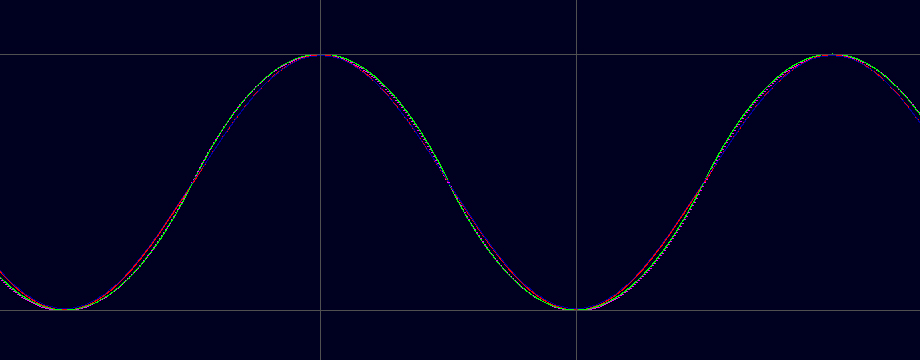
I need a fast way to perform rotations in 2D, which is a process requiring fractional maths and access to the sine and cosine function. I also need the sin functions for programming a digital low pass filter in an audio synthesizer. The sine and cosine implementation in the standard library are slow, mostly because they choose accuracy over speed, and they also work exclusively with floating point values. I wanted to find a accurate and fast method for getting sin-wave values, without using floating point values. After some research I managed to put together a small library containing a few different ways of making these approximations, very fast and with various degrees of accuracy.
So what is in this library:
Six different tables, each encoding a sin-wave with different sizes and resolution.
Tables are each a power of two in size, providing optimization opportunities.
Tables are in 8bit and 16bit resolution.
A function to index one of the tables using linear interpolation.
A very nice and fast approximate sin-wave function that performs more accurately (and quicker I expect) then the table based methods.
Additional Cosine functions using the same methods.
Wrapping for indices that lie outside of the sin-waves period.
It has been tested a little and they all seem to work nicely.
I read about a very interesting technique some time ago. A method was proposed for generating a completely random set of low resolution space invader like creatures. The idea was extremely simple and elegant. The key to the technique is its use of symmetry, since the human mind likes to find form and meaning in symmetric things.
For my implementation I chose a size of 5×5 pixels for my invaders and a line of symmetry down the middle. More specifically, the first three pixels of each row are random, and the last two are mirrors of the first two. For this technique I implemented my own pseudo random number generator using a linear feedback shift register technique. The color of each of the invaders shown corresponds to the seed of the random number generator when it was formed. This seed could be used to re-generate any space invader, but this implementation does not support this currently since the seed is 32bits wide and a colour is clearly 3x8bits or 24bits.
It would be great to add this to a game like geometry wars and have all of your enemies procedurally generated, from their visuals down to their abilities. The scope for using this in a retro computer game seem really endless.
I love the Bitmap Brothers, and especially the Chaos Engine (Z is also up there). I have so many fond childhood memories of being at my friends house in front of his Amiga500 getting our asses kicked with that game.
A while ago, I really dedicated myself to remaking The Chaos Engine as best I could. This would be a lesson in sticking with a project, a little longer then just proving a core concept. It would teach me about making the tools used in creation of a computer game. I learned how to program more complex enemy AI then I was used to. An entire engine was also designed and programmed just for this project. i implemented a simple custom scripting language for the game. All blitting operations and audio mixing was also done by hand too. In essence, this was by a long shot the most ambitious project I had ever taken on. Everything is programmed using fixed point math also, there is not a single float used anywhere in the source code. All of the path finding is done using the A* algorithm. Also all the collision checks are optimized by maintaining a quad tree for the entire level.
Below is a video of the project as it was when I finally moved on to work on something else. I don’t feel at all disappointed at having abandoned this project because so much was learned in the process.
One item of note was the players companion AI. That was a very fun challenge to program since it was critical that he should be actually helpful in the game.
At a basic level this character operates by means of a strange state machine and blackboard hybrid. The player can be in only one state at a time. A state can return naturally to another state if it specifies to do so. A state can also at any time be interrupted by a transition to a state of a greater priority.
Each priority level of this AI has an expert associated with it, thus each frame, each expert is contacted to see if it has a plan for the AI. Then the plan of the highest priority is selected as the active pursuit. For this AI there was 6 priorities listed below, highest first.
AVOID (avoid enemies and bullets)
ENGAGE (find a good attacking position if not in one)
SHOOT (fire at the most convenient enemy we can find)
CATCHUP (do not stray too far from the player else follow any path we have)
RETHINK (find a new path to our destination)
PICKUP (collect any coins and bonuses around us)
As you can see from the video, even in this early stage of implementation it already looks quite intelligent at times. The AI sidekick was the last thing I added to the project, but one of my favorite things I have programmed.
I may re-examine some elements of this project later and explore them in more depth since there were many very common programming problems that I found nice solutions too that I would like to share. Also I think I will release all the source code too at some point in the future, as it may be of use to someone else.
Here is a video of a little demo I put together a few years back. For this demo, I decided to take a popular and very fast method for simulating water in 2D and project it isometrically over a typical game land mass. I had to create a software Z-Buffer using the alpha channel of the 32bit frame buffer. This is so that the water waves interact with and don’t penetrate the voxels of the landscape as well as rendering properly. I also implemented rudimentary diffraction and shadows on the water waves. Everything here is software rendered using fixed point arithmetic. I really love this effect and I would love to apply this technique to any game I made using an isometric terrain.
I have not just been working on Ninja Flare since the submission deadline of LD#26 however. I have been experimenting with lots of pixel art for game ideas I have had.
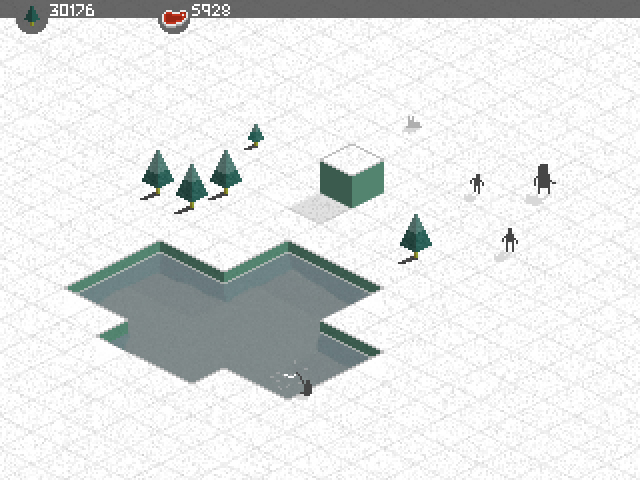
Since my childhood have always loved the god games from Bullfrog, such at theme park and dungeon keeper. I have always wanted to make a god/simulation game involving a small group of people trying to gather resources to survive the natural elements. I made a mockup of what a game of this sort may look like visually. The little people could collect food by hunting and fishing, as well as collecting lumber for fires and for making cabins to shelter from the cold.
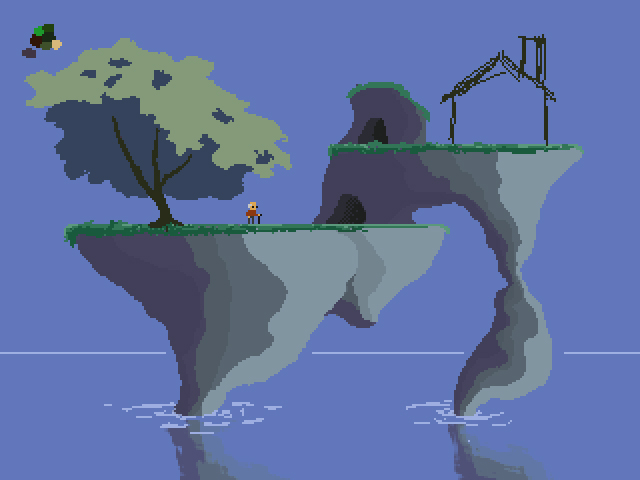
An alternative in the same vein as the above game is shown below.
The game would take place on a small island, far out at sea. A man and his wife, live out there days in a small cabin on top of this island. It would be more of an interactive simulation then a game in my mind. Just something nice to look at. There would be a day and night cycle, rain, snow and sunshine. The plants and flowers could come into bloom and then die off. The man and his wife would collect resources and use them to survive, again fishing, collecting wood, rocks etc to maintain themselves and their cabin. The art style shown is not really what I was aiming for so I will still be playing around with this idea a lot.
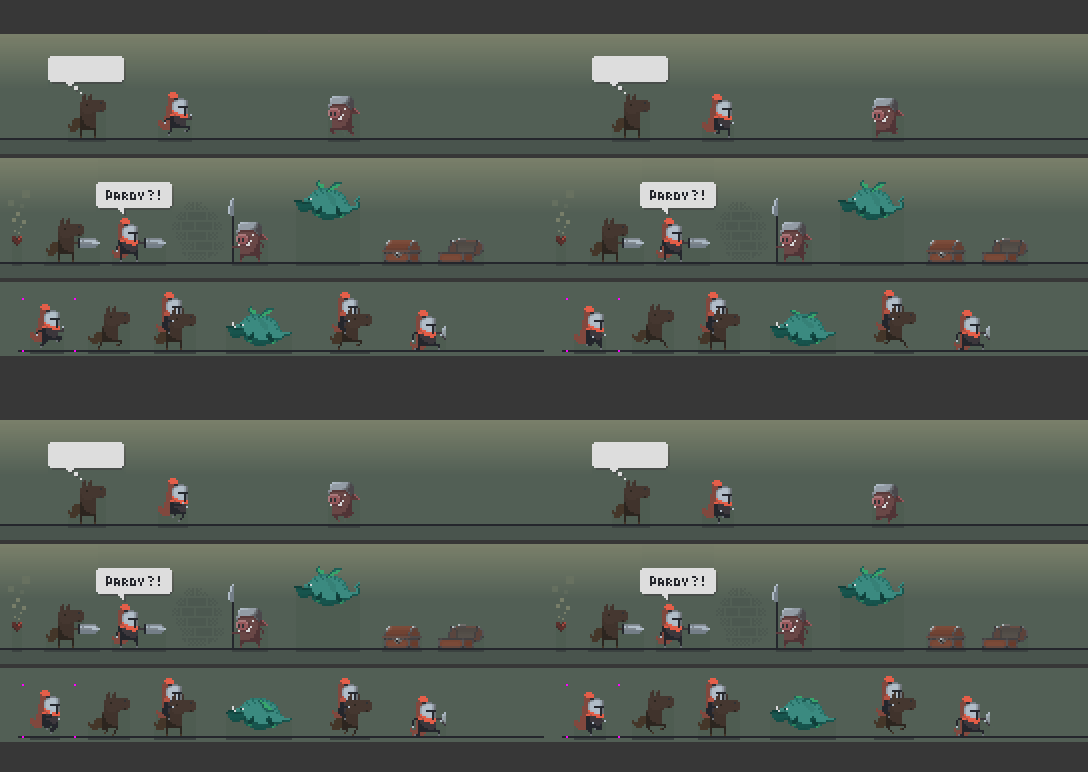
There was a great entry into this LD#26 Game Jam that really resonated with me. It is called potato dungeon. The art and setting are just great and really inspired me to knock up a pixel style demake of it.
The characters here are just great fun to animate. The dragon is my own design, but the horse, knight and pig are very true to the art of the original. I would love to program a mockup of this one day.



 Bit-Hacks Pixel Dungeon